A simple privacy precaution: use a dedicated Google account
RSNAV SmartLink — Public Beta for S3, S4 & S5
CarPlay & Android Auto • Public Beta 0.2.21-rsnav-beta9 (build76) • 22 October 2026
Use your iPhone or Android phone on your RSNAV screen. RSNAV SmartLink brings the CarPlay or Android Auto interface to your existing S3, S4 or S5, so you can use compatible navigation, music and communication apps from the dashboard. It is an alternative to Zlink, with one main menu for both phone types.

What can you do with SmartLink?
- Maps and directions: Use compatible phone apps such as Apple Maps, Google Maps and Waze, with turn-by-turn guidance on the RSNAV display. Available apps depend on your phone and projection platform.
- Music and voice control: Play music, podcasts and spoken directions, and use your phone’s supported voice assistant. Calling and messaging depend on the phone, app permissions and audio setup; hands-free call routing is still being validated in this beta.
- USB or wireless connection: Choose a wired connection or wireless projection on supported setups. Wireless CarPlay and Android Auto have passed screen, touch and sound tests on our S3 and S5 benches after factory reset and ordinary APK installation. Reboot automatic connection was also checked. S4 wireless Android Auto remains unsupported.
- RSNAV and Audi audio choices: Play media through RSNAV and the car’s AUX input. CarPlay also offers an experimental Audi Bluetooth audio option. To keep Audi hands-free for calls while using RSNAV for music, retain the Audi pairing and select the call output on your phone; automatic split routing is not guaranteed.
- Controls and reverse-camera integration: Use the touchscreen and, with the matching controller update, supported steering-wheel and MMI controls. Compatible setups give the configured reverse-camera view priority, then return to the phone screen when reversing ends.
- A clearer setup experience: Automatic preparation for identified stock S3/S4/S5 firmware, remembered connection choices, multilingual menus and built-in diagnostic reports simplify setup. Wireless operation uses the unit’s own Wi-Fi connection; a home router is not required.
SmartLink is developed from open-source projects and adapted for RSNAV hardware. We offer it free of charge to support existing RSNAV owners and improve everyday usability, with thanks to the open-source developers behind it. It uses your phone’s apps and services, so their normal data requirements and subscriptions still apply.
This is optional public-beta software, provided “as is” without warranty of any kind. Features, stability and compatibility are not guaranteed, and some configurations may need additional setup. Earlier wireless CarPlay worked on our S4 bench, but this build’s new S4 automatic setup has not been tested on physical S4 hardware. S4 USB Android Auto remains a test candidate.
Firmware compatibility: Automatic preparation recognizes stock S3 SC60A/Android 9, S4 SC665/Android 10 and S5 SC668/Android 13 configurations. The tested S3/S5 configurations can start basic phone projection with the SmartLink APK alone; a full firmware update is not a blanket requirement. Older, modified or restricted firmware may need assisted setup. Keep your original recovery files, and use only firmware for your exact model and screen.
Choose the package for your RSNAV
Open the SmartLink download folder — or select your package below:
- S3: RSNAV_S3_SmartLink_Preview_APKs.zip
- S4 — older 8.8-inch, 1280×480 only: RSNAV_S4_1280x480_old8.8inchonly_SmartLink_Preview_0.2.21.zip
- S4 — C7 9-inch 1280×720 and 1920×720 models: RSNAV_S4_9inch_and_1920x720_SmartLink_Preview_0.2.21.zip
- S5: RSNAV_S5_SmartLink_Preview_APKs.zip
Before you install
- Read the included guide, confirm the model and screen, and keep your original app/update files.
- Install or update the 01_ SmartLink APK first, then restart the unit. Updating an existing SmartLink installation does not require uninstalling it, clearing its data or factory-resetting the unit.
- On recognized stock firmware, SmartLink selects the model and prepares MFi access and the competing Zlink services automatically. If preparation is blocked, follow the displayed message and contact RSNAV; do not delete system files.
- For wireless use, enable Bluetooth and Wi-Fi on the phone, pair and connect it in the original RSNAV Bluetooth app (GOCSDK), then accept the phone’s CarPlay/Android Auto prompts. Disconnect USB for a wireless test. Existing automatic-start choices are preserved.
- The included Maincontroller/Settings companions are unchanged and optional for supported vehicle integration. Do not replace working system apps just to test phone projection; confirm the exact firmware and screen match first. Do not mix model packages. No MCU or full Android firmware is included.
- Test the phone connection, audio, vehicle controls and reverse-camera return while parked. Call routing and every firmware/phone combination have not been fully validated.
What changed in this update?
Android Auto now offers Connection & audio settings in its exit menu, so you can open SmartLink settings and diagnostics without force-closing the app or disconnecting. Swipe two fingers from the far left edge towards the right to open that menu. Reports now identify the actual installed APK build and include display geometry.
Still under investigation: occasional Android Auto Maps-only layouts without the taskbar, and brief wireless audio gaps. This update improves diagnosis; it does not claim those intermittent symptoms are resolved.
For beta feedback, use Settings → Diagnostics in SmartLink and send the report with your model, firmware and phone details to info@rsnav.com. Reports are sent only when you choose to share them.
RSNAV S5 MCU UPDATE: Power Logic Fix — Now Including C7 1280×720
Updated 9 October 2026 — now including RSNAV S5 C7 1280×720.
The latest official MCU builds correct power-control logic that can cause unexpected screen blackouts and improve power-state handling.
Download the latest S5 MCU updates
Choose the ZIP matching your screen and MCU type:
NEW — S5 C7 1280×720:
261009 RSNAV S5 C7 1280x720 MCU Power Logic Fix.zip
S5 10.25 / 12.3 General (wide screen, MCU version starts with 46):
261009 RSNAV S5 10.25 12.3 General Version Power Logic FixMCU.zip
S5 10.25 KS04 (MCU version starts with 99):
261009 RSNAV S5 10.25 KS04 VERSION POWER LOGIC FIX MCU.zip
Check your screen resolution and MCU version in Settings. The C7 1280×720 package is separate from the wide-screen General package; do not choose by MCU prefix alone.
Extract the selected ZIP to your USB drive root, keeping its update folder structure. Follow the MCU update guide in our Documentation section and keep the unit powered throughout the update. This is an MCU update, not an Android system update.

We’re Back — with Good News!
RSNAV has resumed operations following China’s National Day holiday, which ended on October 7, 2026. We’re working through all inquiries. If you’re still waiting for an update, please feel free to contact us again.
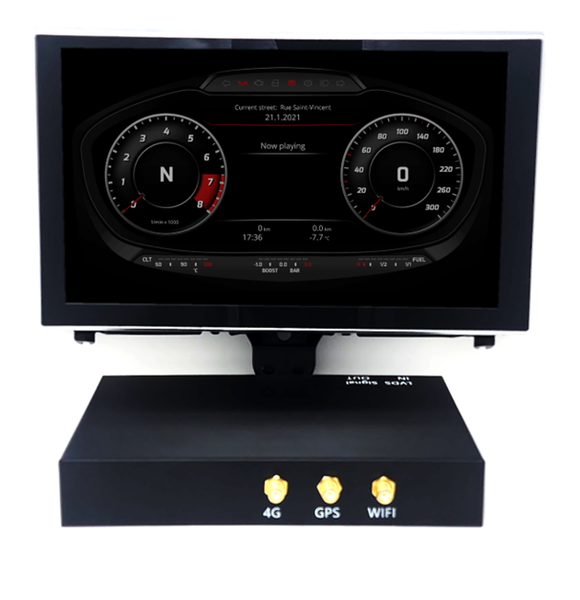
RSNAV C7 Virtual Cockpit: Launch Planned for Q1 2027
We have secured agreements for production tooling and CPU supply, with the first production prototype expected in December 2026. We’ll share more details as development progresses.
The D4 version is planned to follow shortly after the C7 launch. A version for the B8 platform remains under consideration.
We aim to offer competitive pricing for a system that goes well beyond a digital instrument cluster. Planned features include support for the original Audi display, night vision, parking assistance, integrated VAG-specific diagnostics, and extensive integration with factory vehicle sensors.
Reservations for the C7 version will open soon, ahead of its planned launch in the first quarter of 2027. The platform is being developed for C7 vehicles from model years 2011 through 2018. Model, equipment and feature compatibility will be detailed before reservations open.
RSNAV Virtual Cockpit Development Update
Development work combines factory vehicle sensor data with AI-based object recognition from an AHD camera. These prototype demonstrations use recorded vehicle sensor data alongside front-facing dashcam footage. They show work in progress; production features and compatibility will be confirmed in the release specifications.


About RSNAV: What to Expect Before You Buy
Based in Montreal, Quebec, RSNAV is a boutique design and engineering firm specializing in aftermarket infotainment solutions for Audi vehicles. For the S5 range, we work with AINAVI in China on manufacturing, assembly and order fulfillment.
RSNAV handles product planning, software, UI/UX design and sales. AINAVI handles S5 manufacturing, custom assembly and logistics.
Before you buy
Genuine RSNAV-spec systems are sold through RSNAV.com. We do not distribute our proprietary configurations on AliExpress or other third-party marketplaces.
Our focus is ongoing software maintenance, vehicle-specific integration and audio tuning. Setup may require adjustments to suit your Audi’s factory equipment and your preferences.
Vehicle integration
Integration with Audi platforms from the 2010s, including 3G MMI, depends on the original vehicle equipment and the installed RSNAV configuration.
Volume display: The RSNAV on-screen volume indicator may not track adjustments made with the factory MMI volume knob.
Calls and audio: For supported configurations, we recommend using the factory Audi Bluetooth connection for calls while using RSNAV for media and navigation. Audio routing and microphone settings can affect call quality.
Power management: S5 startup, sleep and shutdown behavior is controlled by MCU firmware. Updated official builds address identified power-control issues. See the MCU notice at the top of this page and select the package for your screen and MCU type.
Orders and support
RSNAV systems are produced and assembled in small batches, so processing times vary by configuration. Please contact us for current availability and order updates.
Third-party forums and social-media groups are independent of RSNAV. For product specifications, troubleshooting and order support, please use our official support channels.
Read more about RSNAV and what to expect before you buy.
RSNAV C7 Virtual Cockpit: Development Highlights
Vehicle-specific diagnostics
The C7 Virtual Cockpit is being developed with onboard VAG-specific fault-code reading and descriptions, alongside access to supported vehicle sensor data. This is an integrated diagnostic feature, not a replacement for the full functions of VCDS, ODIS or OBDeleven. Available functions will depend on the vehicle and installed control modules; the release specifications will detail what is supported.
Factory warnings across display modes
We are developing a way to bring supported factory warnings into the Virtual Cockpit interface, including while CarPlay or Android Auto is on screen. Development includes recognition of warning text from the original Audi display. Message coverage and language support are being validated; this should not be read as a guarantee that every warning or language is already supported.
Current production plan
Production tooling and CPU supply agreements are now in place. The first production prototype is expected in December 2026, with the C7 launch planned for Q1 2027. See the announcement above for the latest schedule and reservation updates.
The videos below show development prototypes. Final features and vehicle compatibility will be listed in the release specifications.
RSNAV S5: Availability and Updates
S5 remains part of the RSNAV product range as we develop the new Virtual Cockpit. The Virtual Cockpit project does not mean the S5 range is being discontinued.
Availability varies by vehicle, screen size and LTE region. Please check the relevant product page or contact rsnav01@163.com to confirm the configuration available for your vehicle before ordering.
For current pricing, please refer to the product pages.
Software updates are listed in Release Notes. Installation and update instructions are in Documentation. For the latest S5 MCU power-control update, including C7 1280×720, use the notice at the top of this page.
Video Showcases
Watch the latest video show cases from the development bench

RSNAV ISN'T THE SAME FROM ALIEXPRESS COPIES
All RSNAV S5 Pro/Ultra systems are custom, made-on-demand, available in strictly limited quantities exclusively on RSNAV.com
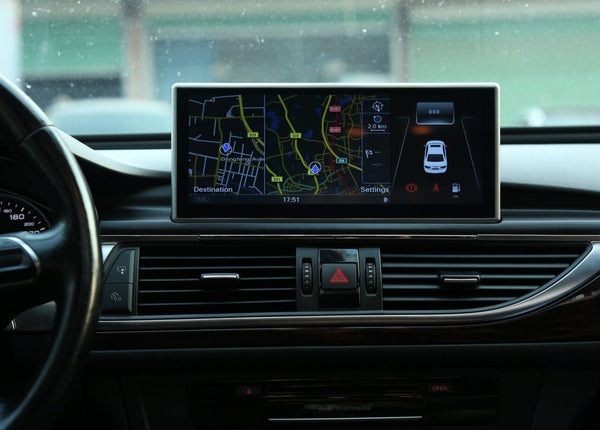
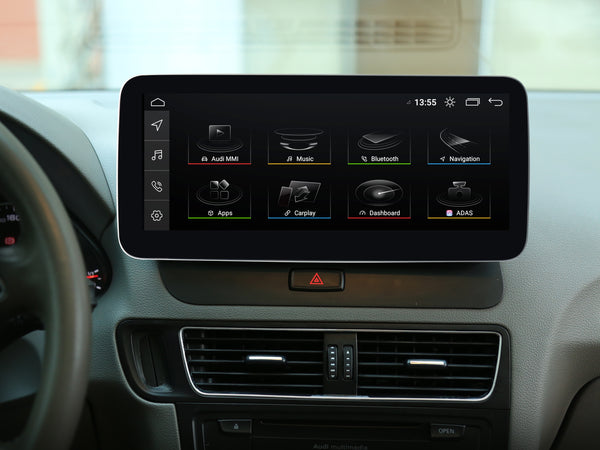
RSNAV S5 Android 13 Systems
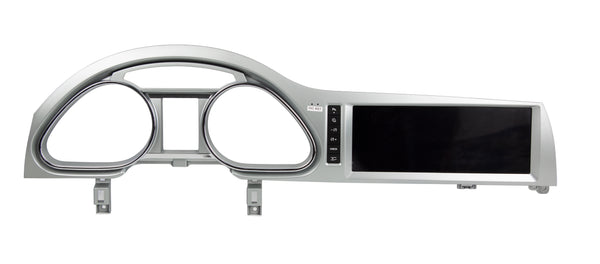
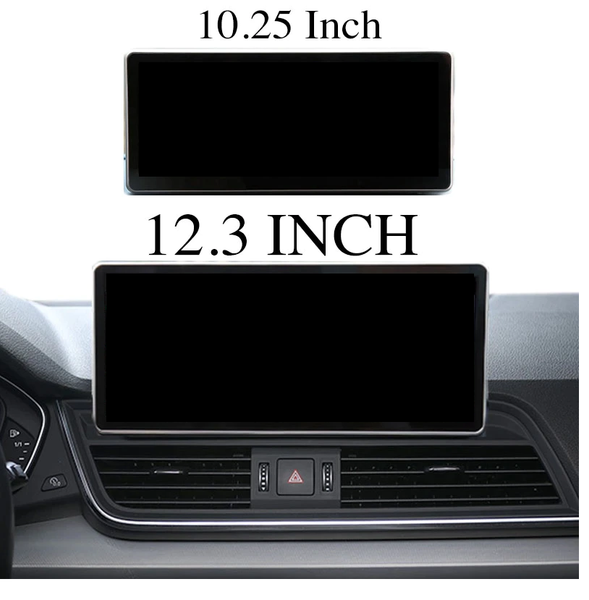
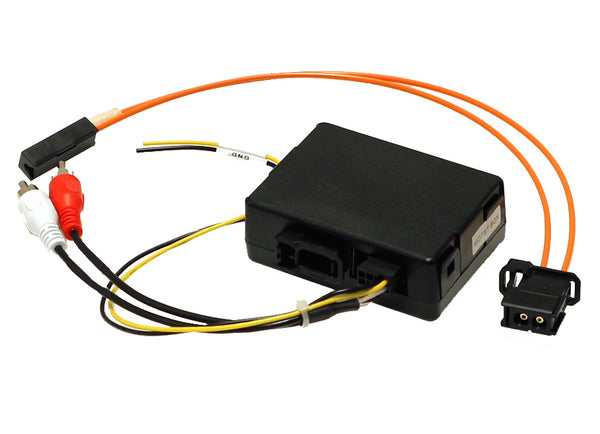
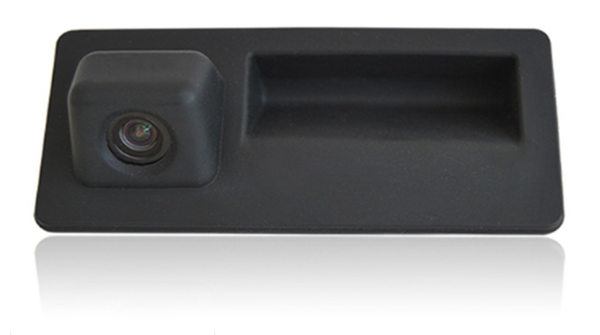
RSNAV Standard System